





Video
A brief or a prompt in, a finished cut out — in the ratios and the lengths the placement wants.
- Seedance 2.5ByteDance
- Veo 3.1Google, on Vertex
- KlingKuaishou
- Wan 3.0Alibaba
- Gemini Omni FlashGoogle, on Vertex
- GrokxAI

Questa pagina è disponibile in italiano.Continua in italiano
Cette page est disponible en français.Continuer en français
Esta página está disponible en español.Continuar en español
Diese Seite ist auf Deutsch verfügbar.Auf Deutsch fortfahren
API and MCP
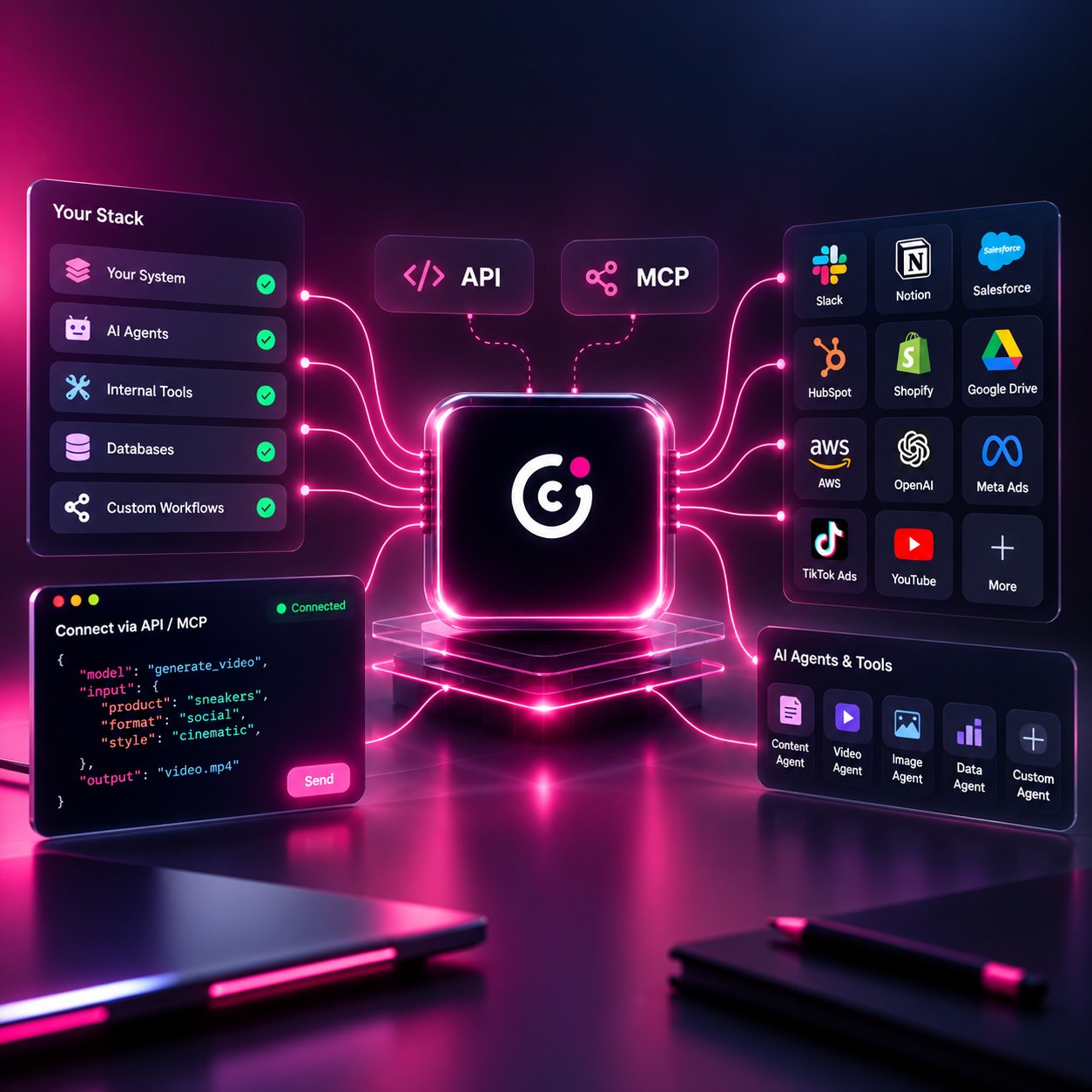
Generate programmatically over REST, or expose Covely as a tool your agents can call over MCP. Both use the same scoped API keys and the same asynchronous model — and both let you hand over the brief or hand over the prompt.
Integrate once
No per-model integration to write and no SDK to lock into: a scoped bearer key, one asynchronous call, and everything else follows.
One key reaches every engine. Nothing to add on your side when a new one is wired in.
One POST: hand over a brief, or name the model and send the prompt yourself.
Every format you asked for, on the brand kit you referenced.
Director or model
The two ways of working in the app are both callable. The difference is the same one it is in the studio: how many of the decisions you hand over. Same key, same asynchronous model, same engine underneath.
You send the brief and Covely's agent takes it from there: it reads the brand kit, works out what it can, writes the prompt, and reports the decisions it took alongside the assets. It can also come back with a question — the same conversation the app has, over the same endpoint — so a job that needs one more answer asks for it instead of guessing.
This is Autopilot, called from your code.
You address the engines directly. Covely is already integrated with each of them, so you name the model, send your own prompt, and reach it through the same key — no per-vendor account, contract or client to maintain.
This is PRO, called from your code.
{
  "mode": "director",
  "type": "video",
  "brand_kit_id": "bk_7Qd2",
  "product_id": "prod_A19f",
  "brief": "spring refill promo, for Instagram",
  "formats": ["9:16", "1:1"]
}{
"mode": "model",
"model": "seedance-2.5",
"type": "video",
"brand_kit_id": "bk_7Qd2",
"prompt": "morning kitchen counter, slow push in",
"formats": ["9:16"],
"seed": 42841
}One field decides which of the two you are in. Everything after that — scopes, queueing, polling, webhooks — is identical, and you can call the same key both ways. Confirm the exact field names in your dashboard: they are versioned per account.
The engines
Model mode names one of these. Director mode picks from them for you and says which it chose. Either way the integration is ours to keep working: no vendor account of your own, no second contract, no client library per model.
A brief or a prompt in, a finished cut out — in the ratios and the lengths the placement wants.
Stills, sets, variants, and 3D objects, from the same request as the video.
Voice, narration and dialogue, in the language the market speaks.
Models are infrastructure. The routing rules live in code, not in a prompt, so a better engine is a change to the rules and not to the way you work — and not a migration in yours.
Creative Automation
This is how the other six outcomes run at volume: the same brand rules and the same workflows, triggered by your data instead of by a person. Catalogs, spreadsheets and API calls in, finished creative out.
Get a single creative right, with the brand rules attached.
Save the structure so it can run again without a rebuild.
Feed a catalog, a sheet or an API payload with the rows to produce.
Generate across products, formats, languages and markets.
Pull finished assets back into your stack through the API.
A generation request references a brand kit and a product, so the output arrives on brand and in every ratio you asked for.
curl -X POST https://api.covely.ai/v1/generations \
  -H "Authorization: Bearer $COVELY_API_KEY" \
  -H "Content-Type: application/json" \
  -d '{
    "mode": "model",
    "type": "image",
    "brand_kit_id": "bk_7Qd2",
    "product_id": "prod_A19f",
    "prompt": "morning kitchen counter, natural light",
    "formats": ["1:1", "4:5", "9:16"]
}'{
"id": "gen_8kPz2mQ",
"status": "succeeded",
"assets": [
{ "format": "1:1", "url": "https://cdn.covely.ai/..." },
{ "format": "4:5", "url": "https://cdn.covely.ai/..." },
{ "format": "9:16", "url": "https://cdn.covely.ai/..." }
]
}Confirm exact endpoint paths, field names and current limits in your dashboard when you create a key. Those are versioned per account.
MCP
MCP exposes the same capabilities to agent workflows rather than to code you wrote by hand. Point your MCP client at the server and authenticate with the same key.
{
  "mcpServers": {
    "covely": {
      "url": "https://mcp.covely.ai",
      "headers": { "Authorization": "Bearer ${COVELY_API_KEY}" }
    }
  }
}The integrations teams ask for first.
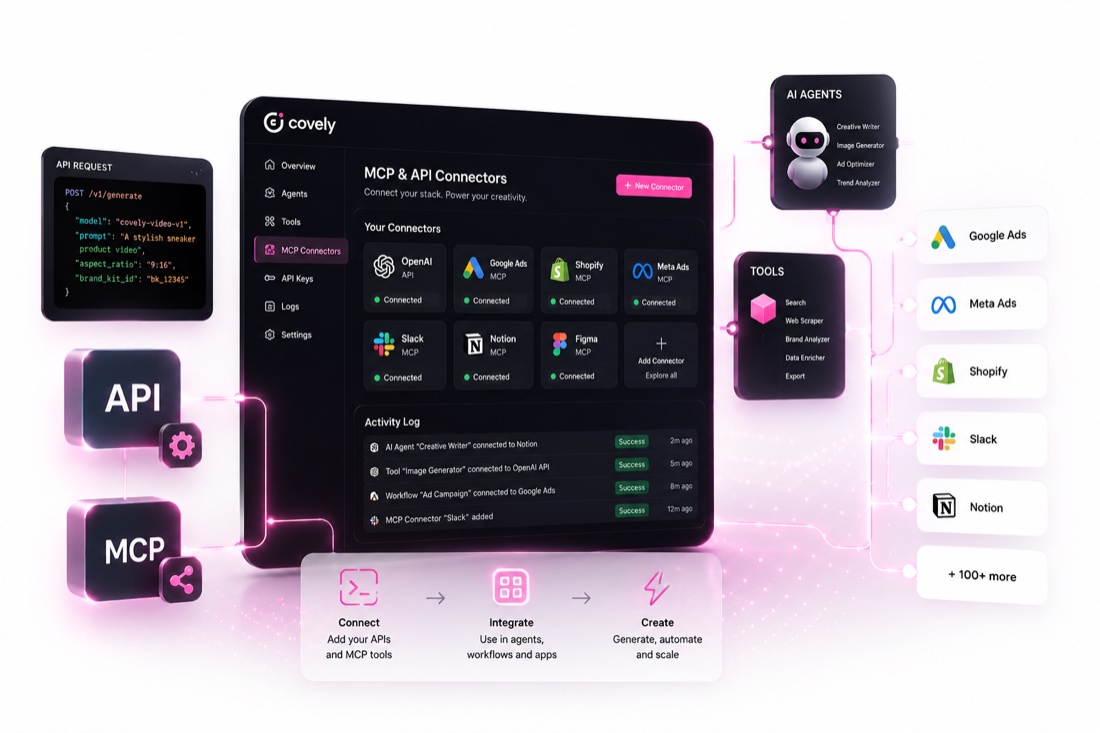
Trigger generation when a SKU appears or changes.
Push finished assets back where your team already looks for them.
Produce the formats a placement needs as part of the campaign build.
Let an agent chain generation into a longer task over MCP.
Create an account, or talk to us about volume and dedicated environments.
This site runs on what it needs to work, and nothing else is on by default. If we add analytics or marketing measurement later, your choice here is what decides whether they run. Cookie Policy